> ## Documentation Index
> Fetch the complete documentation index at: https://dripart-christian-byrne-ecw-141-in-app-agent-user-guide.mintlify.site/llms.txt
> Use this file to discover all available pages before exploring further.
# 링크
> ComfyUI에서 연결 링크 이해하기
## 링크는 노드를 연결합니다
ComfyUI에서 노드 간에 그려진 선이나 곡선을 ***링크***라고 합니다(또한 ***연결*** 또는 와이어라고도 함). 이들은 한 노드의 출력에서 다른 노드의 입력으로 데이터를 전달하며, 워크플로의 흐름을 정의합니다.
링크는 여러 가지 시각적 스타일로 표시할 수 있습니다: 곡선, 직각, 직선 또는 아예 숨길 수도 있습니다.
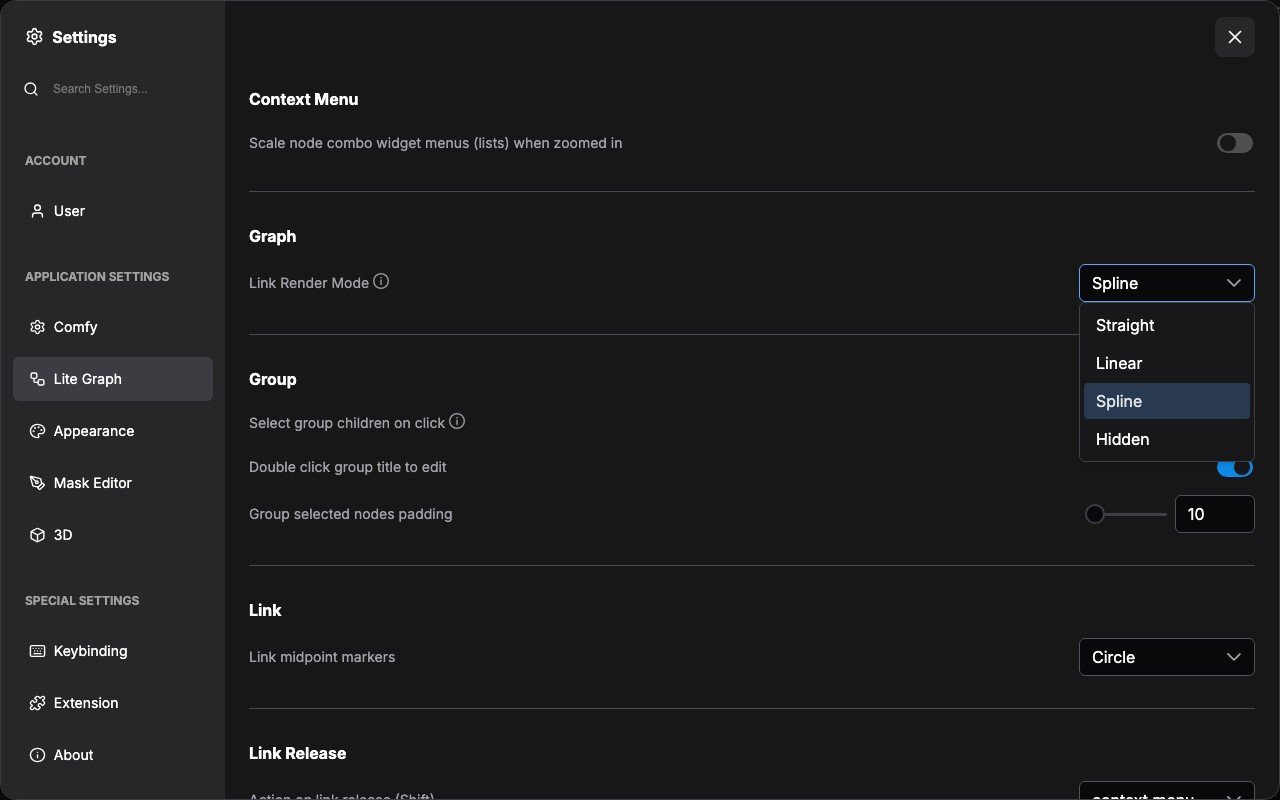
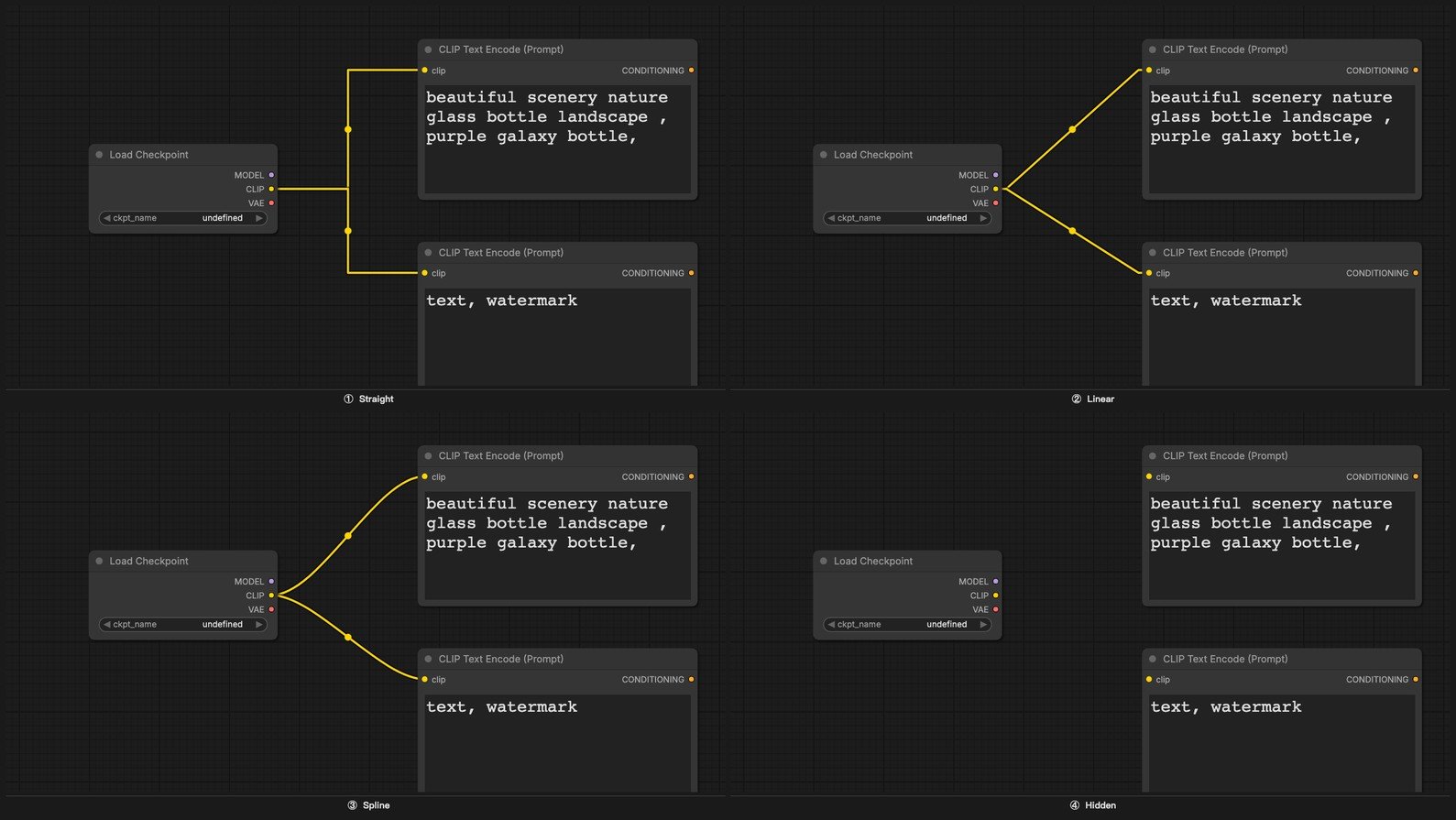 링크 스타일을 변경하려면 **설정 메뉴** → **표시(Lite Graph)** → **그래프** → **링크 렌더 모드**로 이동하세요.
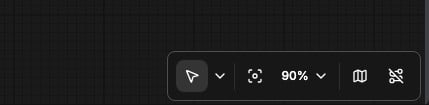
 또한 **캔버스 메뉴**에서 모든 링크를 일시적으로 숨길 수 있습니다.
 링크를 표시하는 것은 특히 워크플로를 학습하거나 공유하거나 디버깅할 때 유용합니다. 데이터 흐름을 한눈에 볼 수 있게 해줍니다. 편집할 필요가 없는 완료된 워크플로에서는 링크를 숨기면 시각적 혼잡을 줄일 수 있습니다.
### 경유점 노드
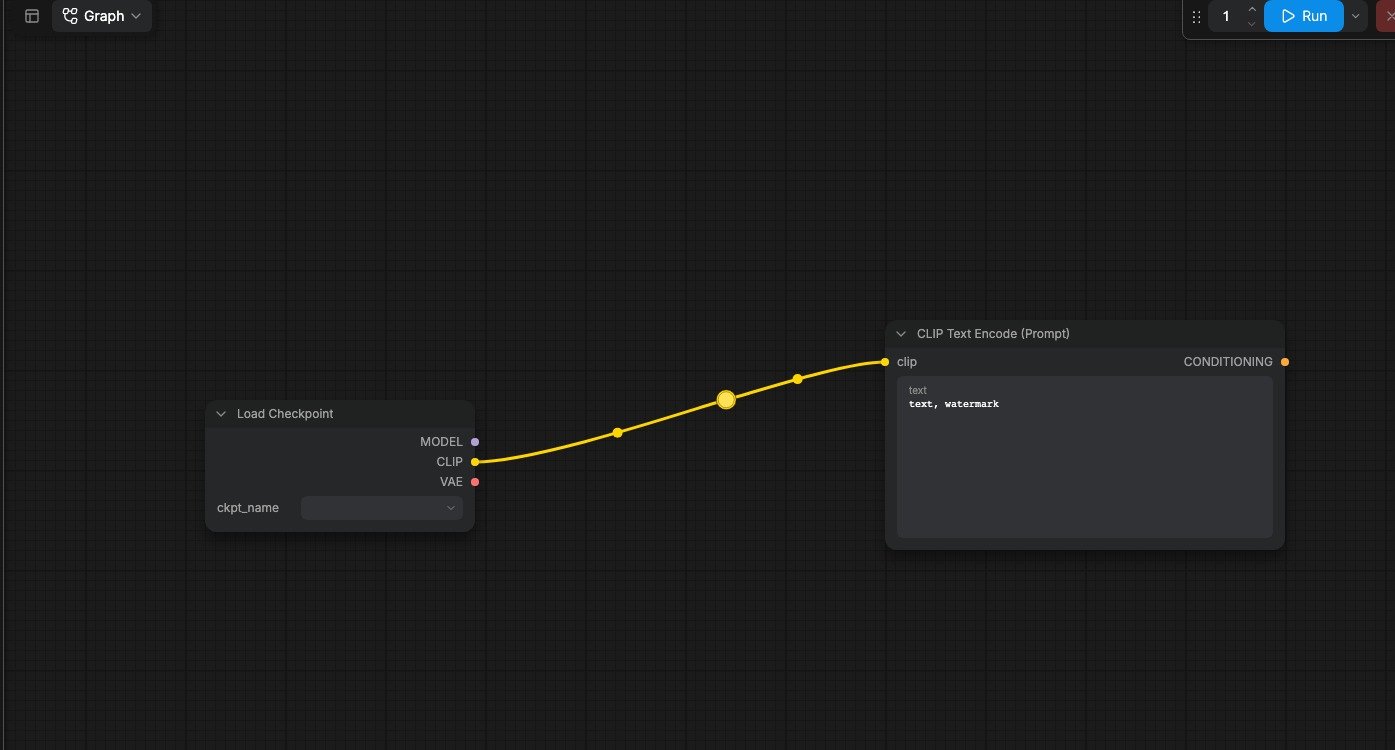
워크플로가 복잡해지면 링크 와이어가 겹치거나 노드 뒤로 지나가 읽기 어려워질 수 있습니다. **경유점** 노드를 사용하면 2D 그래프 공간의 어느 지점으로든 와이어를 수동으로 리디렉션할 수 있어 레이아웃을 깔끔하고 읽기 쉽게 유지할 수 있습니다.
링크를 표시하는 것은 특히 워크플로를 학습하거나 공유하거나 디버깅할 때 유용합니다. 데이터 흐름을 한눈에 볼 수 있게 해줍니다. 편집할 필요가 없는 완료된 워크플로에서는 링크를 숨기면 시각적 혼잡을 줄일 수 있습니다.
### 경유점 노드
워크플로가 복잡해지면 링크 와이어가 겹치거나 노드 뒤로 지나가 읽기 어려워질 수 있습니다. **경유점** 노드를 사용하면 2D 그래프 공간의 어느 지점으로든 와이어를 수동으로 리디렉션할 수 있어 레이아웃을 깔끔하고 읽기 쉽게 유지할 수 있습니다.
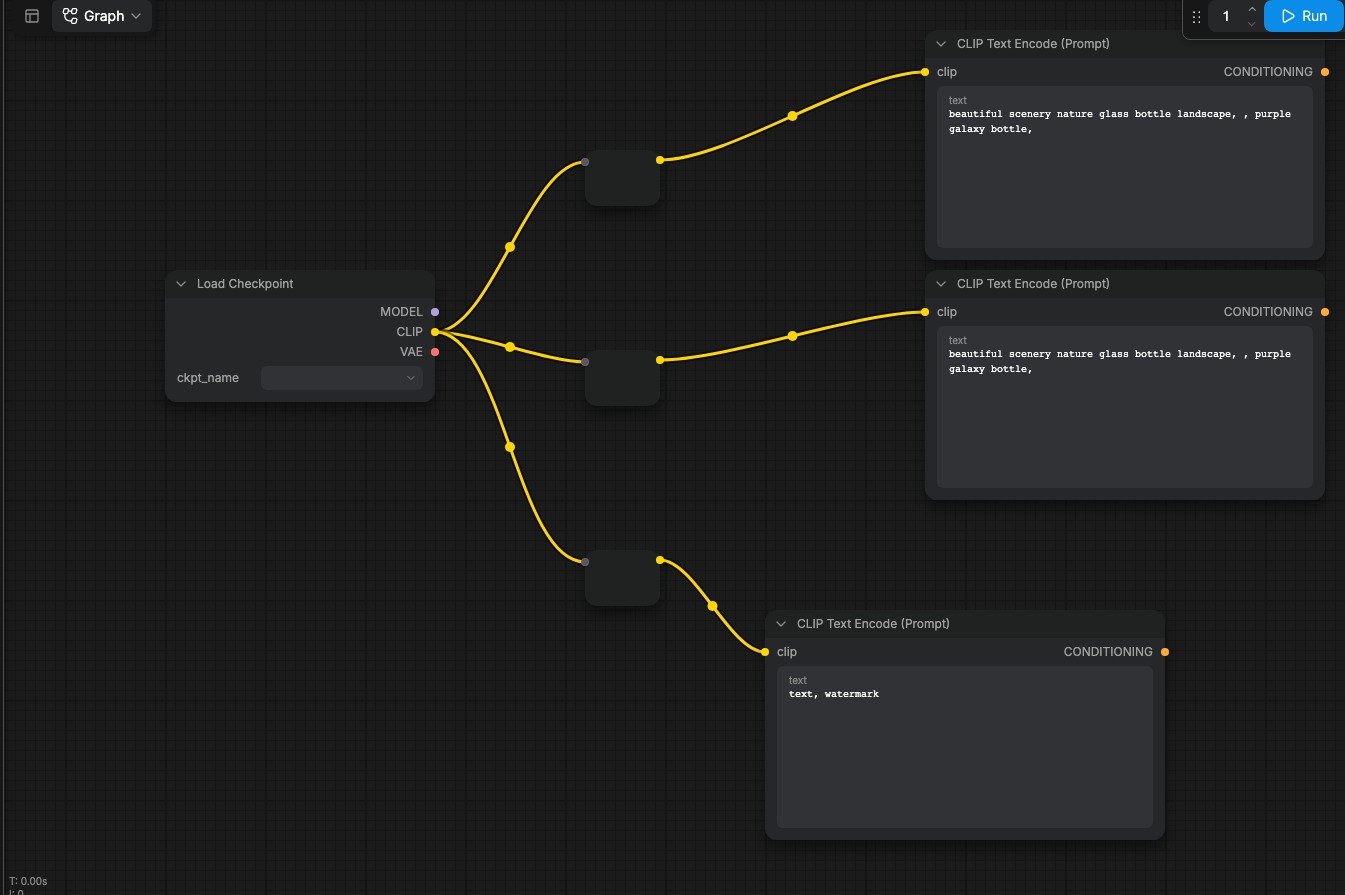 ComfyUI에는 그래프 캔버스 자체에 경유점 기능이 기본 내장되어 있습니다. 새 워크플로에서는 이 기능을 사용하는 것을 권장합니다.
 ## 색상 코드화
ComfyUI의 모든 데이터 유형은 고유한 색상을 가집니다. 노드의 입력 및 출력 포트와 이를 연결하는 링크 와이어는 모두 이 색상 체계를 공유합니다. **같은 색상의 포트만 연결할 수 있습니다**. 이는 워크플로 전체에서 타입 안전성을 보장합니다.
## 색상 코드화
ComfyUI의 모든 데이터 유형은 고유한 색상을 가집니다. 노드의 입력 및 출력 포트와 이를 연결하는 링크 와이어는 모두 이 색상 체계를 공유합니다. **같은 색상의 포트만 연결할 수 있습니다**. 이는 워크플로 전체에서 타입 안전성을 보장합니다.
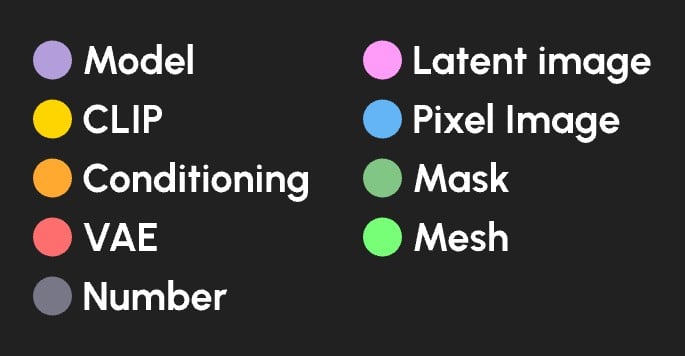 | 데이터 유형 | 색상 |
| ------------- | ------ |
| 확산 모델 | 라벤더 |
| CLIP 모델 | 노란색 |
| VAE 모델 | 장미색 |
| 조건화 | 주황색 |
| 잠재 이미지 | 분홍색 |
| 픽셀 이미지 | 파란색 |
| 마스크 | 초록색 |
| 숫자 (정수 또는 실수) | 회색 |
| 메시 | 밝은 초록색 |
| 데이터 유형 | 색상 |
| ------------- | ------ |
| 확산 모델 | 라벤더 |
| CLIP 모델 | 노란색 |
| VAE 모델 | 장미색 |
| 조건화 | 주황색 |
| 잠재 이미지 | 분홍색 |
| 픽셀 이미지 | 파란색 |
| 마스크 | 초록색 |
| 숫자 (정수 또는 실수) | 회색 |
| 메시 | 밝은 초록색 |